
VPN vs. Private Browsing Mode
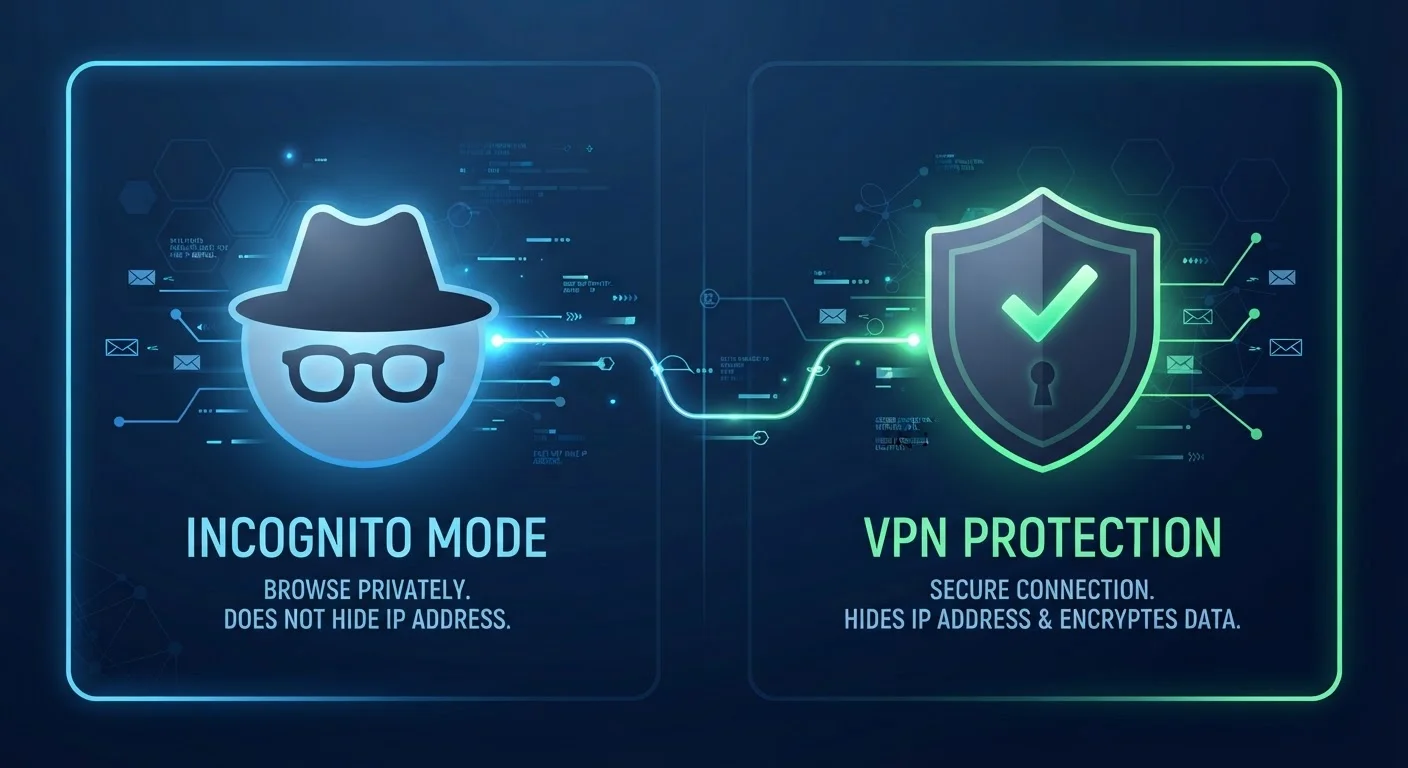
Photo credit: TurboBlogs.net | Explore Blogs At Turbo Speed
In this article
Incognito mode and a VPN both promise privacy, but they do very different things. Understand what each one actually protects.
Key Takeaways
- Private browsing only prevents your browser from storing local history - it doesn't hide your traffic from your ISP or websites.
- A VPN encrypts your internet connection and masks your IP address, protecting you at the network level.
- Neither tool alone provides complete anonymity; each addresses a distinct layer of privacy.
- Using public Wi-Fi is a scenario where a VPN provides meaningful protection that incognito mode cannot.
- The two tools can be used together for overlapping, complementary coverage.
What Each Tool Actually Does
The confusion between private browsing and a VPN is understandable - both carry the word "privacy." But they operate at completely different layers of your digital life, and mixing them up can give you a false sense of security. As covered in our guide to common digital privacy myths, assuming incognito mode hides you from websites or your ISP is one of the most widespread misunderstandings in consumer tech.
Private browsing mode - called Incognito in Chrome, Private Window in Firefox and Safari - works exclusively on your device. When you close the session, your browser discards the history, cookies, cached files, and any form data from that window. That's it. The websites you visited still recorded your IP address. Your internet service provider (ISP) still logged the request. Your employer's network still saw the traffic. Private browsing is a local eraser, not a cloak.
A VPN, or Virtual Private Network, works at the network level. It routes your internet traffic through an encrypted tunnel to a server operated by the VPN provider, then out to the wider internet. To any outside observer - your ISP, a coffee shop router, or a website's server - your traffic appears to originate from the VPN server's IP address, not your own. The encryption also makes the contents of that traffic unreadable in transit.
| Criterion | Private Browsing (Incognito) | VPN |
|---|---|---|
| Hides history from device | Yes - deleted when session ends | No |
| Hides traffic from your ISP | No | Yes - encrypts tunnel |
| Masks your IP address from websites | No | Yes - shows VPN server IP |
| Protects you on public Wi-Fi | No | Yes - encrypts in transit |
| Requires setup or software | No - built into all browsers | Yes - app or configuration needed |
| Blocks browser fingerprinting | No | No |
| Prevents websites from logging your visit | No | Partial - IP masked, not identity |
When Privacy Mode Helps - and When It Doesn't
Private browsing solves a specific, narrow problem: keeping your browsing session off your own device's record. This matters in real situations - using a library computer, logging into a secondary account without cookie conflicts, or simply keeping a surprise gift search out of your household's shared browsing history.
What it cannot do is protect you on the network. Every site you visit in incognito mode still receives your real IP address. Advertisers who use fingerprinting techniques - analyzing your browser version, screen resolution, installed fonts, and other signals - can still build a profile across sessions. Google, for example, has stated clearly in its own Incognito disclosure screen that activity may still be visible to websites and services you use, and to your ISP.
Incognito Mode Is Not Invisible Mode
Browser makers are required to disclose what private browsing actually does, and most make clear that it only affects local storage. A 2023 settlement involving Google's Incognito mode drew attention to how tracking can persist even in private sessions through third-party tools embedded in websites. Private browsing prevents your browser from remembering - it does not prevent others from observing.
For a broader understanding of how these pieces fit together, the Online Privacy From the Ground Up guide walks through the foundational concepts in plain language.
Where a VPN Adds Real Value
A VPN's strengths are most pronounced in scenarios where the network itself is the risk. On public Wi-Fi - airport lounges, hotel networks, coffee shops - a VPN encrypts your traffic before it even leaves your device, which is meaningfully protective. Our breakdown of public Wi-Fi risks explains which threats on open networks are genuine and which are overstated.
A VPN also limits what your ISP can observe. Under U.S. rules, ISPs are permitted to collect and sell aggregated browsing data in certain contexts. Routing traffic through a VPN replaces your browsing patterns with encrypted tunnel traffic, substantially reducing what your ISP can log meaningfully.
31%
U.S. adults who use a VPN regularly
According to a 2023 NordVPN-commissioned survey of American internet users, roughly 31% reported using a VPN at least occasionally, with security on public networks cited as the top reason.
~600ms
Typical VPN latency overhead
Independent speed-test analyses generally find that reputable VPN services add modest latency - often under a second - making them practical for everyday browsing tasks.
That said, a VPN shifts trust rather than eliminating it. Instead of your ISP seeing your traffic, the VPN provider does. Choosing a provider whose data practices and jurisdiction you're comfortable with matters - and no VPN makes you anonymous. Websites can still identify you through login sessions and cookies once you're connected. For purchases and shopping in particular, data you voluntarily hand over still reaches the retailer; see our notes on keeping personal data safe when shopping online for context.
Using Both Together
Private browsing and a VPN address different layers, which means they complement rather than compete with each other. Running a VPN while in a private browsing window gives you network-level encryption and a browser that won't save cookies or history locally. That combination is reasonable for sensitive tasks - accessing financial accounts on unfamiliar networks, for instance.
Neither tool, used alone or together, equals full anonymity. Logged-in accounts, browser fingerprinting, and the data you voluntarily provide still define most of your digital footprint. For a complete picture of how to manage your broader online presence, including social media privacy settings worth reviewing, layering multiple habits produces more durable results than any single tool.
The practical takeaway: use private browsing when you want to keep a session off your device, and use a VPN when you want to protect what travels over the network. Know what each one does - and what it doesn't.

Author
Tech & Electronics Editorial Team
Tech & Electronics Editorial Team is the collective byline for our editorial team and contributor network. Articles published under this byline or an editorial pen name are researched, written, and reviewed according to our editorial standards for clarity, consistency, and independence before publication.
View all articles →