
Home Security Cameras: Everything First-Time Owners Need to Know
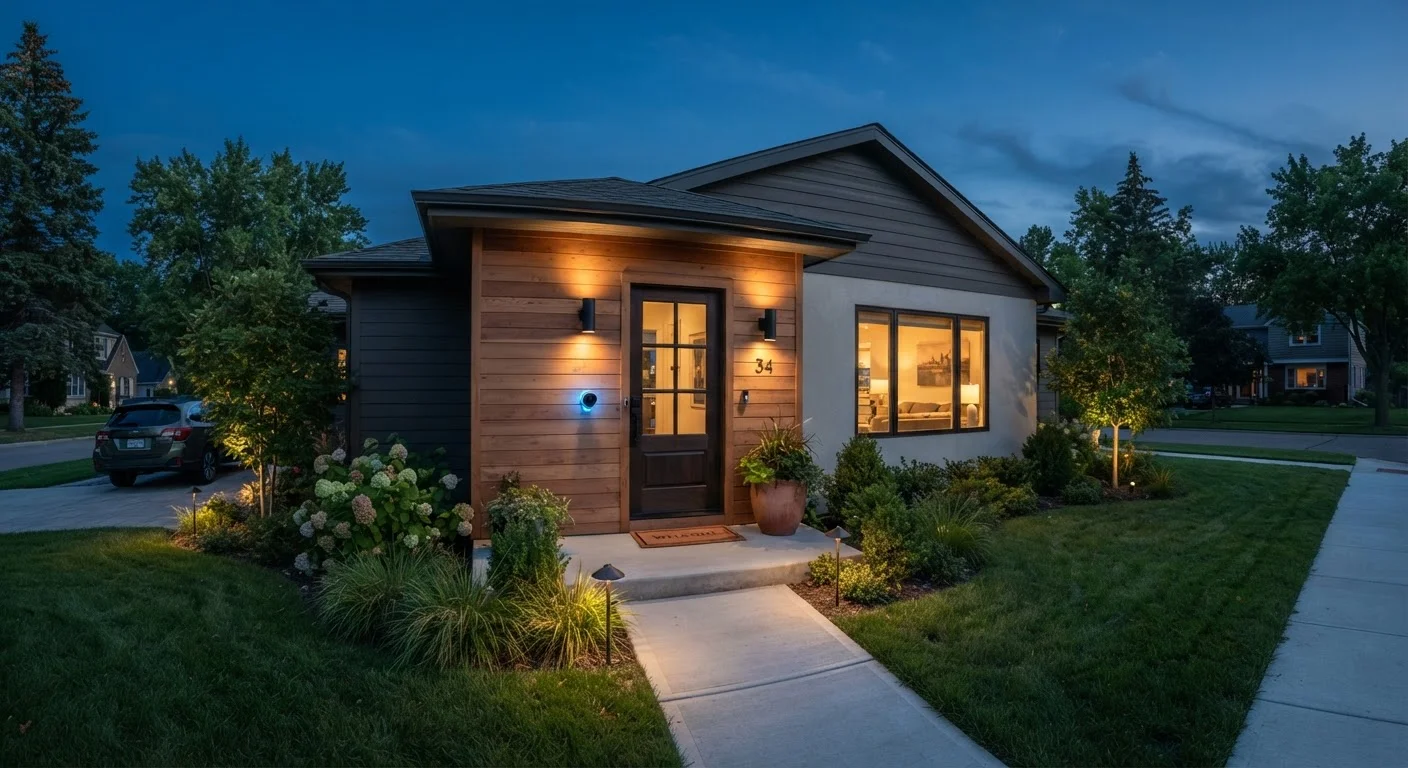
Photo credit: TurboBlogs.net | Explore Blogs At Turbo Speed
In this article
Coverage zones, resolution, local vs. cloud storage, privacy settings — a grounded introduction to home security cameras for new users.
Key Takeaways
- Entry points like front doors and garages are the highest-priority camera locations for most homes.
- Resolution matters most in low light - 1080p is a solid baseline for most residential use cases.
- Local storage keeps footage on-site; cloud storage offers remote access but typically requires a subscription.
- Privacy laws vary by state - pointing cameras at public sidewalks or neighbors' property can create legal exposure.
- Changing default passwords and enabling two-factor authentication are essential first security steps after setup.
What Home Security Cameras Actually Do
Home security cameras serve two primary purposes: deterrence and documentation. Visible cameras signal that activity is being recorded, which can discourage opportunistic incidents. When something does happen, recorded footage provides evidence for police reports, insurance claims, or simply your own peace of mind.
Modern cameras also offer motion alerts, two-way audio, and integration with smart home platforms. But it's worth grounding expectations: cameras are one layer of a broader security approach, not a standalone solution. For a fuller picture of building a connected, secure home, see our guide to starting your smart home.
IP Rating
A standardized measure (e.g., IP65, IP67) indicating how well a device resists dust and water. Higher numbers mean greater protection - important for outdoor cameras exposed to weather.
NVR (Network Video Recorder)
A dedicated device that receives and stores video footage from multiple IP cameras on your local network, often used in multi-camera setups as an alternative to cloud storage.
Field of View
The angle of space a camera's lens can capture. A wider field of view covers more area; a narrower one captures a focused zone in greater detail.
Two-Factor Authentication (2FA)
A login security method that requires both your password and a second verification step - such as a code sent to your phone - before granting access to an account or device.
Motion Detection Zone
A configurable area within the camera's view that triggers an alert or recording when movement is detected. Limiting zones to relevant areas reduces false alerts from passing cars or trees.
Infrared (IR) Night Vision
A technology that uses infrared light - invisible to the human eye - to illuminate a scene in darkness, allowing the camera to record in black-and-white even without ambient light.
Choosing Coverage Zones and Camera Placement
Before buying a single camera, map your property's vulnerabilities. The most common entry points targeted in residential break-ins are front doors, back doors, and attached garages - these should be your first coverage priorities.
- Front door: The most-used entry point and highest-value camera location. Position it to capture faces, not just the top of heads - typically mounted 7-9 feet high, angled slightly downward.
- Back and side entrances: Less visible from the street and therefore higher risk. Wireless cameras work well here if running cable is impractical.
- Driveway and garage: Useful for monitoring vehicles and package deliveries.
- Interior cameras: Optional but helpful for monitoring pets, children, or entry points from inside. Note that interior cameras carry stronger privacy implications.
Test Before You Commit to a Mount
Before drilling or mounting permanently, use temporary adhesive strips or prop the camera in place and review the live feed from the app. This lets you verify the field of view and catch any blind spots before you're committed to a location.
Overlap your camera fields of view slightly where possible. A second camera that catches what the first misses is far more useful than a gap in coverage.
Resolution, Night Vision, and Other Specs That Matter
Camera specs can feel overwhelming, but a handful of them genuinely affect day-to-day usefulness:
- Resolution
- 1080p Full HD is a reasonable baseline for most homes - detailed enough to identify faces and read license plates under good lighting. Higher resolutions demand more storage and bandwidth.
- Night vision
- Most consumer cameras use infrared (IR) LEDs for low-light recording. Color night vision, which uses ambient light to produce color footage in the dark, is available on some models and can provide more useful detail. Check the camera's specified IR range against the actual distances you need to cover.
- Field of view
- A wider field of view (120-160°) covers more area but can introduce distortion at the edges. Narrower angles provide more detail in a focused zone.
- Weather resistance
- For outdoor cameras, look for an IP rating of at least IP65, which indicates protection against dust and water jets. IP67 or higher is suited to more extreme climates.
Local vs. Cloud Storage: Where Your Footage Lives
How your camera stores footage affects cost, convenience, and privacy. There are two main approaches:
Local storage saves footage directly to an SD card inside the camera, or to a Network Video Recorder (NVR) or Network Attached Storage (NAS) device on your home network. You own the footage outright, there's no ongoing subscription fee, and your data doesn't leave your property. The trade-off is that if the camera or storage device is stolen or damaged, footage may be lost.
Cloud storage uploads footage to the manufacturer's servers, making it accessible from anywhere via an app. This protects footage from on-site damage or theft. Most providers offer free tiers with limited retention (24-72 hours of event clips), with paid plans extending storage history. Understand exactly what a subscription covers before committing.
Hybrid Storage Is Worth Considering
Some cameras support a hybrid approach - local storage as a primary backup with optional cloud upload for key events. This can offer meaningful resilience without relying entirely on a subscription service. Check whether your camera supports this before defaulting to one option.
Some cameras support a hybrid approach - local storage as a primary backup with optional cloud upload for key events. This can offer meaningful resilience without relying entirely on a subscription.
Privacy Settings and Legal Considerations
A camera that's easy to access is also easy to access by someone else. After setup, these steps are non-negotiable:
- Change the default camera password immediately. Use a strong, unique password that isn't shared with other accounts.
- Enable two-factor authentication (2FA) on any app or account controlling the camera.
- Keep camera firmware updated - manufacturers regularly patch security vulnerabilities.
- Review which third-party apps or integrations have access to your camera feed and revoke any you don't actively use.
On the legal side, you generally have the right to record your own property. However, pointing a camera - or its microphone - at a neighbor's yard or interior, or recording audio without consent in a two-party consent state, can create legal liability. Laws vary meaningfully by state. When in doubt, aim cameras inward toward your own property and consult your local regulations.
For a broader look at securing your connected devices, the smart home security checklist is a practical next step. And if you're new to digital privacy more generally, Online Privacy From the Ground Up covers the foundational habits that apply across all your connected devices.
Smart Home Security Checklist
A practical checklist covering router passwords, app permissions, and connected device audits - useful once your cameras are installed and you want to harden your overall setup.
Online Privacy From the Ground Up
A foundational guide to digital privacy habits and tools, relevant to anyone managing internet-connected devices including home security cameras.
Frequently Asked Questions

Author
Tech & Electronics Editorial Team
Tech & Electronics Editorial Team is the collective byline for our editorial team and contributor network. Articles published under this byline or an editorial pen name are researched, written, and reviewed according to our editorial standards for clarity, consistency, and independence before publication.
View all articles →