
Streaming Sticks vs. Smart TV Apps: Which One Should Run Your Living Room
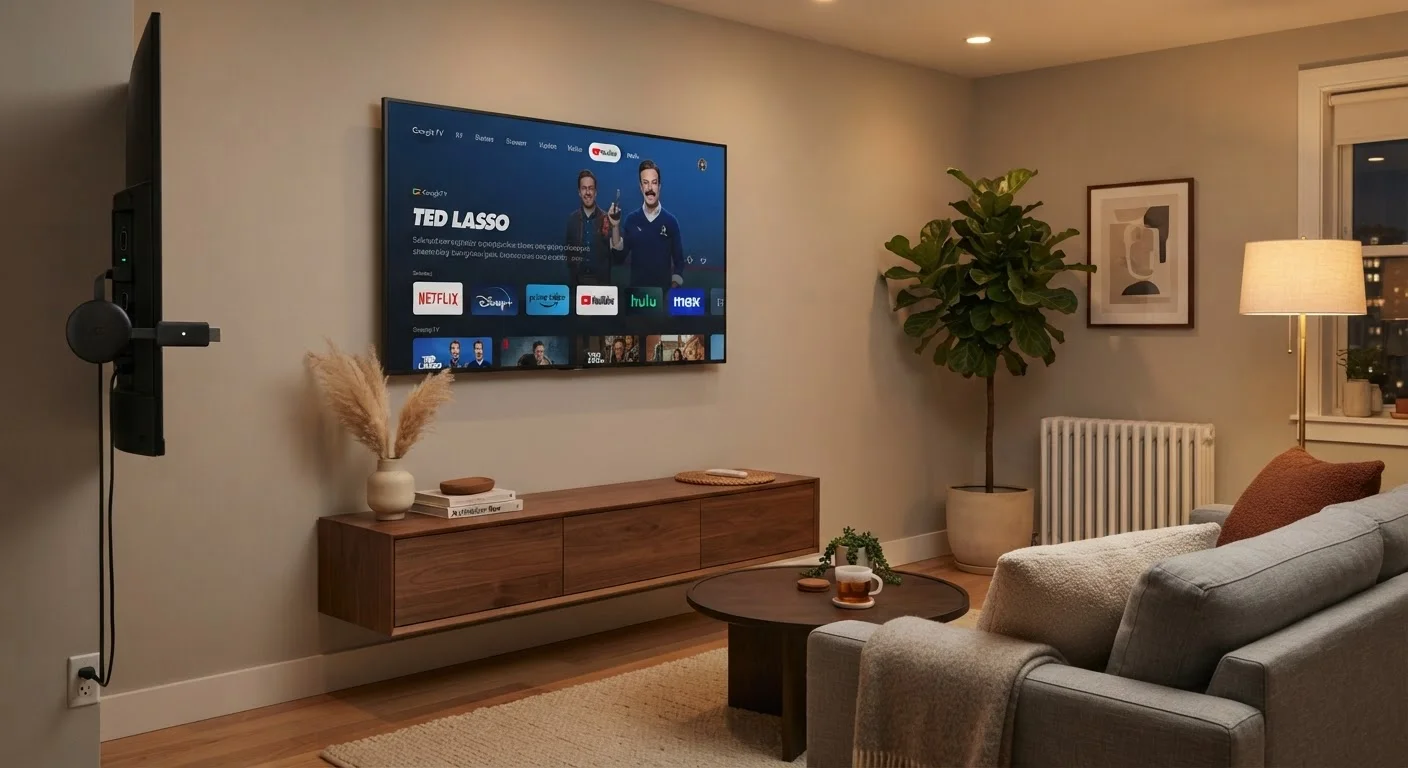
Photo credit: TurboBlogs.net | Explore Blogs At Turbo Speed
In this article
Built-in smart TV software vs. a dedicated streaming stick — the differences in speed, app support, and longevity are worth understanding before you decide.
Key Takeaways
- Smart TV apps are convenient out of the box but often receive slower software updates than dedicated streaming devices.
- Streaming sticks typically offer faster processors, smoother interfaces, and more consistent app support across platforms.
- Built-in smart TV software varies widely by manufacturer, making the quality of the experience less predictable.
- Streaming sticks add a small upfront cost but can extend the usable life of an older or slower television.
- Either option works well on a fast, stable Wi-Fi connection - your network quality matters as much as the device.
What You're Actually Choosing Between
Every modern television ships with some form of built-in smart platform - software that lets you open streaming apps directly from the TV's home screen without plugging anything in. Streaming sticks, by contrast, are small HDMI dongles that connect to any screen and run their own independent operating system, essentially turning any display into a capable streaming device.
The distinction sounds simple, but it has real consequences for day-to-day usability. Smart TV platforms are tied to the manufacturer's update schedule and the processing power of the hardware that shipped with your set. Streaming sticks operate independently, receive updates from their own developers, and are typically designed around a faster, more focused computing core.
Understanding how both work helps you get more from whatever you already own - or make a smarter choice if you're setting up a new living room. For a broader look at how devices like these fit into a connected home, see What Is a Smart Home, Really?.
Head-to-Head: Key Differences at a Glance
The table below covers the criteria that matter most for everyday streaming. Neither option wins across every category - the right choice depends on your specific TV, your habits, and how long you expect to keep your current setup.
| Criterion | Smart TV Apps | Streaming Sticks |
|---|---|---|
| Setup complexity | None - built in at purchase | Minimal - plug into HDMI port |
| Performance over time | Degrades as apps grow heavier | Generally stays consistent longer |
| Software update cadence | Tied to TV manufacturer | Managed by stick developer, more frequent |
| App catalog breadth | Varies by manufacturer platform | Typically broader and more consistent |
| Portability | None - fixed to the TV | Works on any HDMI display |
| Remote control | Your existing TV remote | Separate included remote or app |
| Additional cost | None beyond the TV | Modest upfront purchase required |
| Voice assistant support | Varies by TV brand | Usually tightly integrated |
Where Smart TV Apps Fall Short
Built-in smart platforms have improved significantly over the past decade, but they carry a structural disadvantage: the processor and memory inside your TV don't change after purchase. As streaming apps grow more complex - adding higher-resolution interfaces, richer menus, and new codec support - older onboard hardware can struggle to keep up. Menus become sluggish, apps take longer to launch, and search functions feel unresponsive.
Software support timelines also vary considerably by manufacturer. Some brands issue platform updates for four or five years; others slow down after two. Unlike a phone or a streaming stick, you can't easily swap out a TV's software layer when it stops receiving meaningful updates.
App availability is another variable. Not every streaming service is available on every smart TV platform. A service that's standard on a streaming stick may be absent from a particular manufacturer's app store, or present only in an outdated version.
3-5 years
Typical smart TV platform support window
Industry observers generally note that most TV manufacturers provide meaningful platform updates for three to five years after a model ships, after which feature support often stagnates.
~$30-$50
Typical streaming stick price range
Most entry- to mid-tier streaming sticks fall in this range, making them a low-cost way to refresh an older TV's streaming capability without replacing the set.
Where Streaming Sticks Have the Edge
Streaming sticks are purpose-built for one job, which means their hardware-to-software ratio tends to favor performance. Processors are tuned specifically for video playback, UI rendering, and voice search - not for running a full television's operating system alongside picture-processing algorithms.
Because streaming stick manufacturers control both hardware and software, updates arrive more regularly and tend to support new streaming standards - such as newer audio formats or HDR profiles - sooner than TV-side platforms. A stick bought today is likely to receive meaningful software updates for several years.
Portability is an underrated advantage. A streaming stick works on any HDMI display - a bedroom TV, a hotel room screen, or a secondary monitor. That flexibility is something built-in software simply can't match. If you're also thinking about other connected devices in your home, Smart Speakers, Displays, and Hubs: Understanding the Differences explains how streaming-adjacent devices compare.
HDMI-CEC: A Useful Feature to Check
Many streaming sticks support HDMI-CEC, a standard that allows the stick to control your TV's power and volume using a single remote. The feature goes by different brand names depending on the TV manufacturer - such as Anynet+, Bravia Sync, or SimpLink. Confirming your TV supports HDMI-CEC before purchasing a streaming stick can simplify your remote setup considerably.
The Network Factor Both Options Share
Whichever route you choose, your home Wi-Fi connection is the variable that most directly affects streaming quality. A streaming stick on a weak or congested network will buffer just as frustratingly as a built-in smart TV app in the same conditions. If your living room is far from your router, or if many devices compete for bandwidth simultaneously, neither option will perform at its best.
Positioning your router centrally, using a mesh network to eliminate dead zones, or connecting via an ethernet adapter (where supported) will improve performance regardless of the streaming method you use. For homes with structural or wiring challenges that complicate Wi-Fi setup, Things to Plan Before Installing Smart Home Devices in an Older House covers what to think through ahead of time.

Author
Tech & Electronics Editorial Team
Tech & Electronics Editorial Team is the collective byline for our editorial team and contributor network. Articles published under this byline or an editorial pen name are researched, written, and reviewed according to our editorial standards for clarity, consistency, and independence before publication.
View all articles →