
Smart Plugs, Explained: What They Can and Can't Automate in Your Home
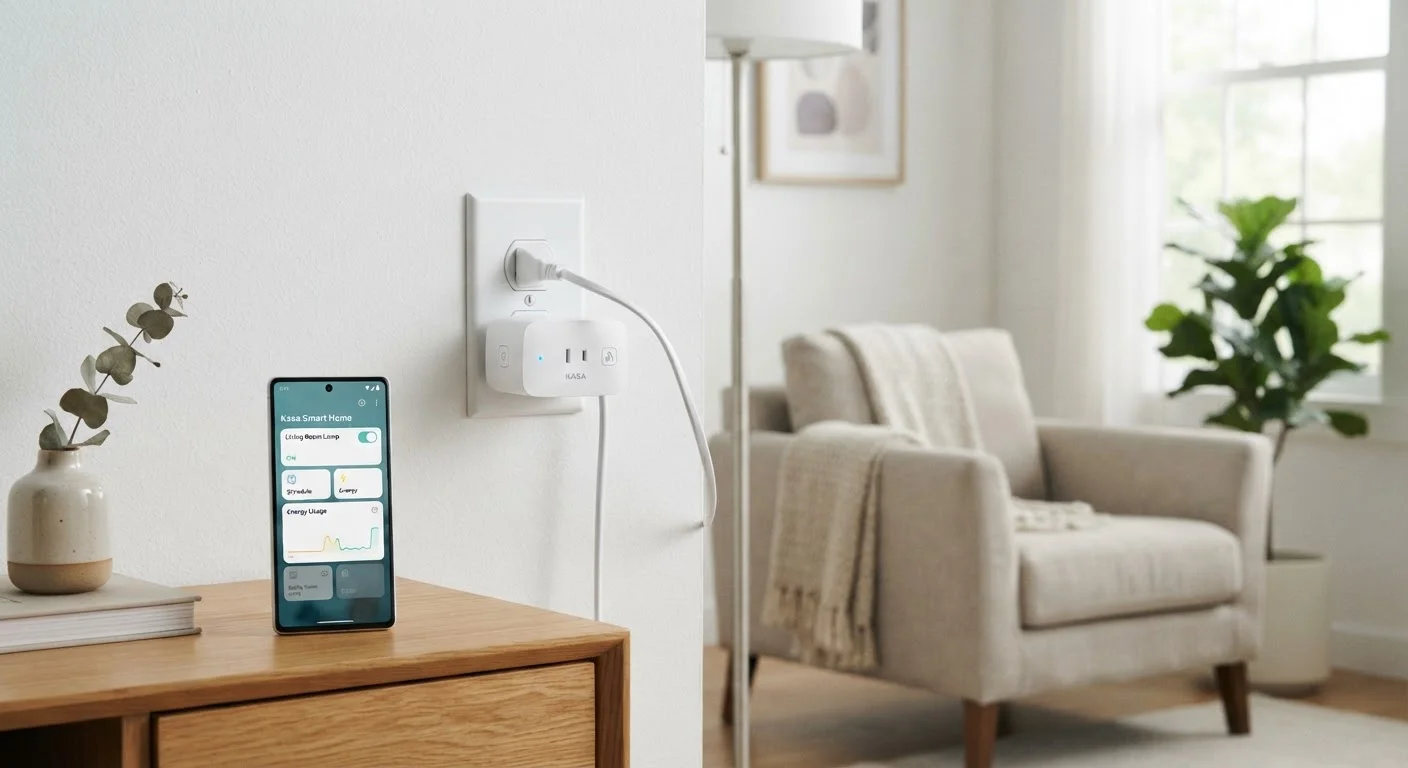
Photo credit: TurboBlogs.net | Explore Blogs At Turbo Speed
In this article
Smart plugs are one of the easiest entry points into home automation. Here's what they genuinely do well — and where they fall short.
Key Takeaways
- Smart plugs control power to a device - they can't control the device itself.
- They work best with appliances that don't require state-awareness, like lamps and fans.
- Scheduling and remote control are their strongest features; complex automation has real limits.
- Most smart plugs work with major voice assistants and don't require a separate hub.
- They're an accessible starting point, but understanding their limits prevents disappointment.
What a Smart Plug Actually Does
Strip away the marketing language and a smart plug does one thing: it controls whether electricity flows to whatever is plugged into it. That's it. It doesn't communicate with the device itself, can't read its settings, and has no awareness of what state the device is in. The plug simply acts as a remotely operated on/off switch sitting in the circuit.
That narrow function is actually more useful than it sounds. A lamp doesn't need to "know" anything - it just needs power. A box fan, a coffee maker with a physical toggle switch, a phone charger left running overnight - all of these are straightforward candidates. When the underlying device works fine with a simple power cycle, a smart plug integrates seamlessly.
Where things get complicated is with devices that have their own memory or startup behavior. If you smart-plug a modern television, cutting and restoring power won't necessarily turn it on - it'll likely return to standby mode. A window air conditioner that requires you to press a button after a power interruption won't restart on its own. Understanding this distinction - power control versus device control - is the single most important thing to grasp before you buy. For a broader view of how these devices fit into a connected home, see what smart home technology actually means.
~$0.50-$3
Monthly standby power cost per household device
U.S. Department of Energy estimates that standby power across all devices in a typical home can account for 5-10% of household electricity use.
2.4 GHz
Wi-Fi band used by most smart plugs
The majority of consumer smart plugs connect exclusively to 2.4 GHz networks, which is worth confirming during setup if your router broadcasts separate 2.4 and 5 GHz networks.
10-15 amps
Typical smart plug current rating
Most standard smart plugs are rated for 10 to 15 amps; exceeding this with high-draw appliances like space heaters can pose a fire risk.
What Smart Plugs Do Well
Scheduling is where smart plugs genuinely shine. You can program a porch lamp to turn on at sunset and off at a set time, or have a coffee maker ready before your alarm goes off - without any manual input each day. Most apps let you build recurring schedules, and many support sunrise/sunset triggers that adjust automatically with the seasons.
Remote control is equally straightforward. Left a device running when you left the house? Open the app and cut the power. This is particularly useful for devices that draw power continuously in standby - gaming consoles, desktop computers, entertainment systems. Some energy-monitoring plugs go further, letting you track cumulative electricity use so you can identify which appliances are quietly inflating your bill.
Integration with voice assistants adds another layer. Asking a voice assistant to turn off the living room lamp - without reaching for your phone - is a genuinely convenient habit to build. Smart plugs are also a natural entry point into home automation routines that chain multiple actions together, such as cutting power to several devices at bedtime with a single command.
Start With the Simplest Devices
When testing a smart plug for automation, begin with appliances that have a physical on/off switch or that simply need power to operate - lamps, fans, and basic kitchen appliances are ideal. Verify how your specific device behaves after a power interruption before building a schedule around it. A quick test saves a lot of troubleshooting later.
The Real Limits You Should Know
The most common frustration with smart plugs comes from applying them to devices that don't behave predictably after a power cycle. As noted above, many appliances - particularly electronics - won't resume their previous state when power is restored. A desktop computer typically requires a button press to restart. A smart TV returns to standby. Some microwave ovens reset their clock and require reprogramming.
Smart plugs also can't adjust device settings. They can't change a fan's speed, dim a lamp (unless the lamp itself has dimming built in), or select a TV input. They have no awareness of whether a device is functioning correctly - they only know whether power is flowing. If you're looking for richer device control, you'll need purpose-built smart devices, or a more sophisticated hub setup. The differences between hubs, speakers, and displays are worth understanding - how smart speakers, displays, and hubs each fit a connected home explains the landscape clearly.
Finally, always check the wattage rating of any smart plug before connecting high-draw appliances. Space heaters, portable air conditioners, and similar devices can exceed the rated capacity of standard smart plugs - a genuine safety concern, not just a performance issue.
Check Wattage Before Plugging In
Smart plugs carry a maximum wattage or amperage rating printed on the device or listed in its specifications. High-draw appliances - space heaters, portable air conditioners, toaster ovens - frequently exceed these limits. Always confirm your appliance's power draw matches the plug's rating. Using an undersized plug with a high-draw device is a fire hazard and should be avoided.
For readers building out a broader setup, where to begin a smart home without feeling overwhelmed offers practical guidance on prioritization.
Frequently Asked Questions

Author
Tech & Electronics Editorial Team
Tech & Electronics Editorial Team is the collective byline for our editorial team and contributor network. Articles published under this byline or an editorial pen name are researched, written, and reviewed according to our editorial standards for clarity, consistency, and independence before publication.
View all articles →