
Home Automation Routines: What They Are and How to Build Useful Ones
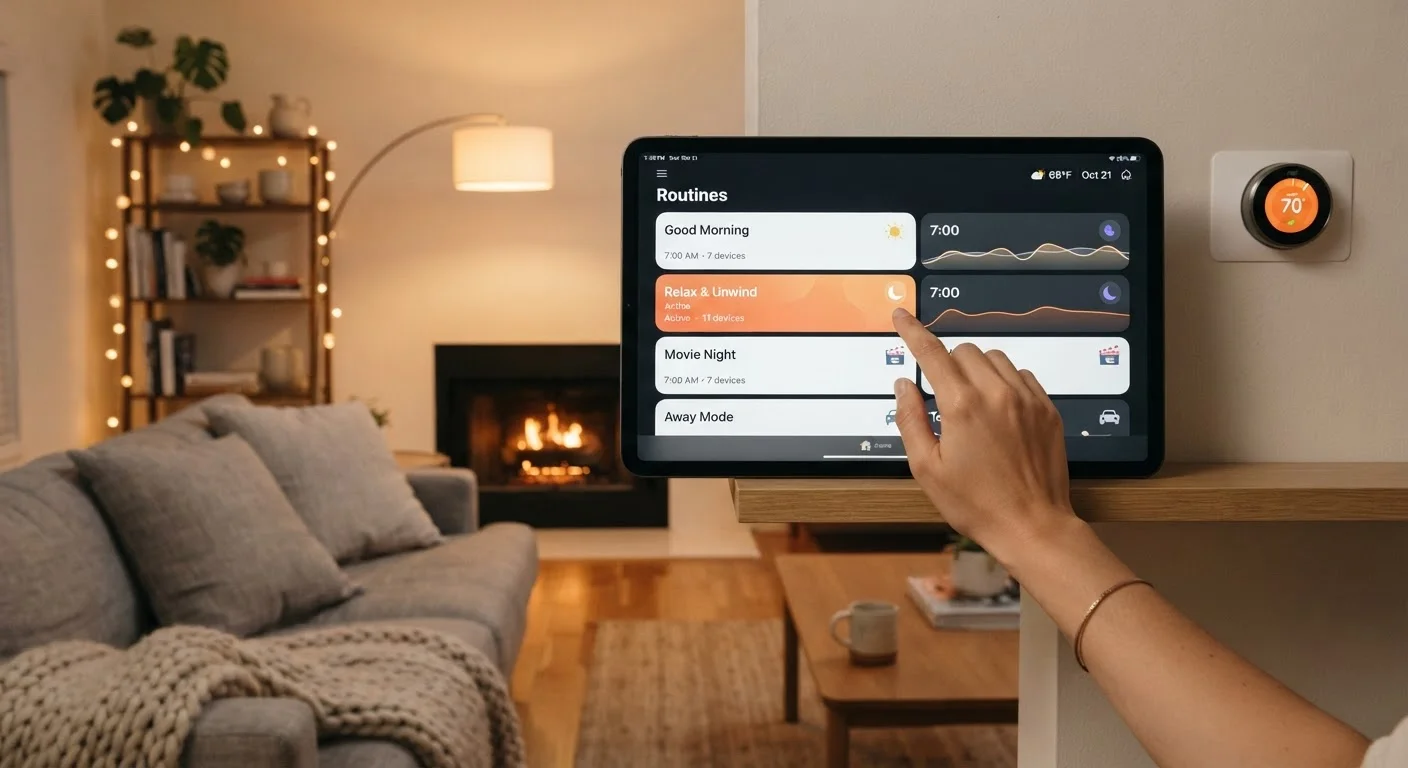
Photo credit: TurboBlogs.net | Explore Blogs At Turbo Speed
Automation routines let devices respond to schedules, triggers, or conditions. Learn how they work and what makes them genuinely useful.
Key Takeaways
- An automation routine links a trigger—like a time, sensor event, or device state—to one or more device actions.
- The most useful routines solve a recurring friction point in your daily life, not just showcase what's technically possible.
- Most smart home platforms let you build basic routines without any coding or technical background.
- Testing and refining routines after you build them is just as important as the initial setup.
- Overlapping or conflicting routines are a common pitfall—audit them periodically to keep things running smoothly.
What an Automation Routine Actually Is
An automation routine is a saved instruction set that tells your smart home devices to respond to a specific trigger—without you having to do anything manually. At its core, every routine follows a simple structure: if , then , with optional conditions narrowing when it applies.
This structure makes routines both flexible and occasionally confusing. A time-based routine that turns your porch light on at sunset is simple. A multi-step evening routine that dims lights, lowers the thermostat, locks doors, and silences notifications based on your location and time of day is more complex—but built from the same logic.
If you're new to smart home setups, the guide to starting your first smart home is a useful foundation before diving into routines. For those looking at the full picture, the complete smart home planning guide covers routines alongside every other layer of a connected home.
Understanding the trigger-action-condition model before you start building means you'll make better design decisions from the first routine onward.
Smart Home Hub or App
The platform where routines are created, stored, and managed—examples include native apps from your ecosystem (Amazon Alexa, Google Home, Apple Home, Samsung SmartThings).
Compatible Smart Devices
The lights, plugs, thermostat, locks, or sensors that will execute or trigger your automation.
Motion, Door, or Presence Sensor
Enables condition-based triggers rather than time-only schedules, making routines more contextually aware.
Smart Speaker or Display
Allows voice-triggered routines and provides audible or visual confirmation that a routine has fired.
How to Build Routines That Actually Help
The gap between a novelty automation and a genuinely useful one almost always comes down to whether it reduces real effort in your daily life. Before building anything, consider the prerequisites below, then follow the steps to build and test your first routine.
What you will need
Identify a real friction point in your daily routine
Before opening any app, think about a recurring moment where your home requires manual action that feels unnecessary—turning off lights when you leave, adjusting the thermostat before bed, or switching on a lamp at sunset. The best automation solves a real, repeating problem rather than automating for its own sake.
Choose a trigger type
Every routine starts with a trigger—the condition that causes it to run. Common trigger types include:
- Time-based: The routine fires at a specific clock time or at sunrise/sunset.
- Device state: A sensor detects motion, a door opens, or a plug reports a change.
- Location-based: Your phone's location signals you've left or arrived home.
- Voice command: You say a phrase to a smart speaker.
Match the trigger type to the context. A morning lighting routine suits a time trigger; a porch light suits a motion trigger.
Define the action or actions
The action is what your devices do when the trigger fires. A routine can include a single action—turn on a light—or a sequence: dim the living room lights, lower the thermostat, and lock the front door simultaneously. Keep early routines to one or two actions so they're easy to troubleshoot if something goes wrong.
Add conditions to limit when the routine runs
Conditions are optional filters that must also be true for the routine to fire. For example: run only if someone is home, or run only on weekdays. Conditions prevent routines from misbehaving—a lights-on routine without a time condition might fire at 2 a.m. when a sensor detects a pet moving through a room.
Build the routine in your platform's app
Open your smart home app and navigate to the automations or routines section—labeling varies by platform. Select Create Routine (or equivalent), then assign your trigger, actions, and conditions in the guided interface. Name the routine descriptively, such as Weeknight Wind-Down or Leave Home, so it's easy to identify later.
Test the routine manually before relying on it
Most platforms include a Run Now or Test option. Use it to confirm every action fires correctly and in the expected order. If the routine is time-triggered, temporarily change the time to one minute from now, verify it works, then reset it. Manual testing catches configuration errors before they interrupt your day.
Monitor and refine over the first week
Run the routine in real conditions for several days. Note any edge cases—does it fire when you don't want it to? Does it miss conditions you hadn't considered? Small adjustments to timing windows, sensor sensitivity, or conditions usually make a routine significantly more reliable. Iteration is normal and expected.
Start With One Routine You'll Notice Every Day
Beginners often get the most value from a single, high-impact routine—like having lights gradually brighten at your usual wake time. When you experience a routine working reliably, it builds the intuition to design more complex ones. Complexity can come later; consistency comes first.
Conflicting Routines Can Cause Unexpected Behavior
When two routines compete—for example, one turns lights off at 10 p.m. while another turns them on when motion is detected—devices can behave unpredictably. Before adding new routines, review existing ones to check for conflicts. Most platforms display all active automations in a single list, making it straightforward to spot overlap.
Once you have a few working routines, periodic maintenance matters. The habits that keep a smart home reliable covers firmware updates and device audits that directly affect whether your routines keep firing correctly. If you're using smart plugs as part of your automation setup, what smart plugs can and can't automate clarifies exactly what's within their reach.
Don't Automate Security-Critical Actions Without a Manual Override
Routines that lock doors, arm security systems, or cut power to devices should always have a clear, accessible manual override. If a routine fires at the wrong time—due to a sensor error or clock drift—you need a fast way to undo it. Never rely solely on automation for anything with a safety or security consequence.

Author
Tech & Electronics Editorial Team
Tech & Electronics Editorial Team is the collective byline for our editorial team and contributor network. Articles published under this byline or an editorial pen name are researched, written, and reviewed according to our editorial standards for clarity, consistency, and independence before publication.
View all articles →