
The Complete Guide to Planning and Building a Smart Home from the Ground Up
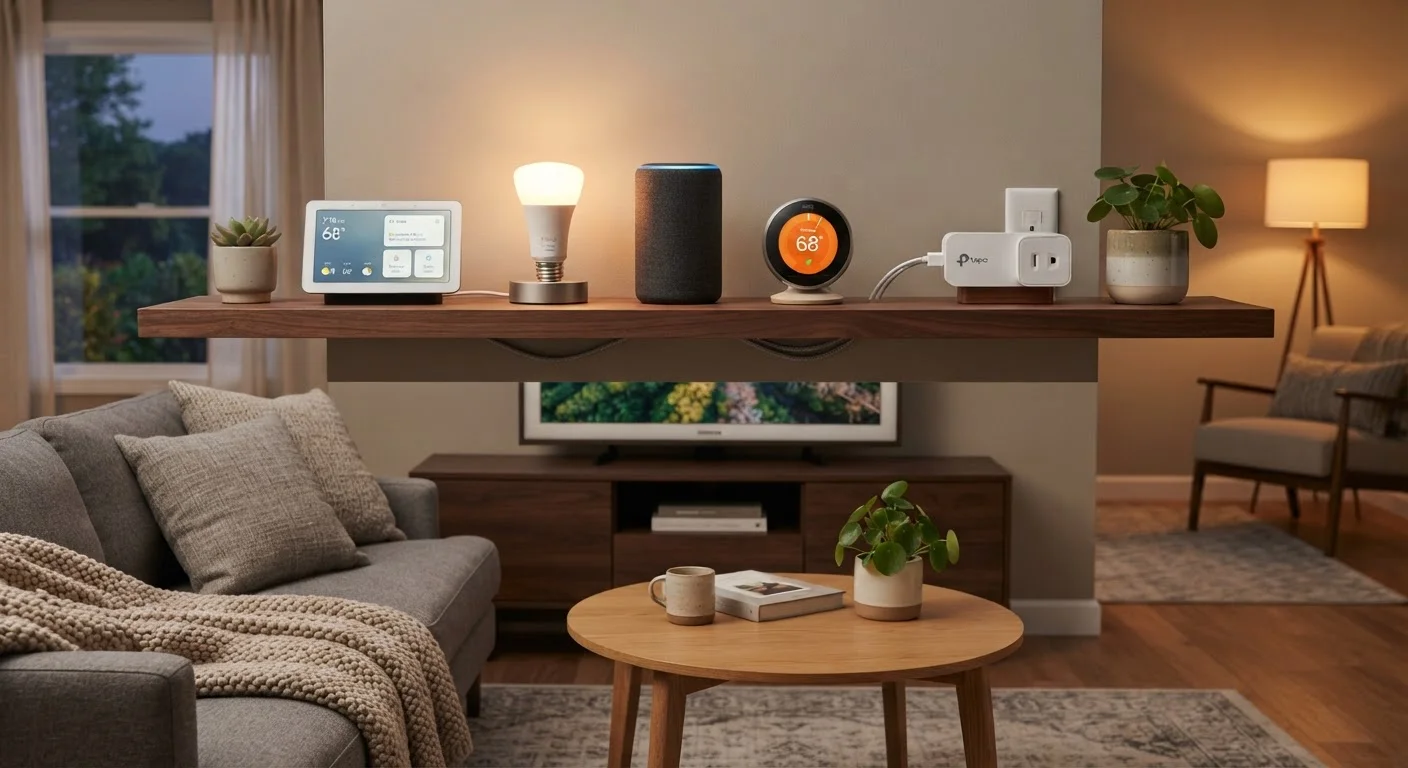
Photo credit: TurboBlogs.net | Explore Blogs At Turbo Speed
In this article
Everything from choosing a platform and mapping your network to automating routines and securing your setup—covered end to end.
Key Takeaways
- Choose a single smart home platform before buying any devices to avoid compatibility headaches.
- A reliable, well-distributed Wi-Fi network is the single most important foundation for any smart home.
- Start with high-impact, low-complexity devices like smart plugs and bulbs before tackling locks or cameras.
- Automations deliver real value only when they match your actual daily routines.
- Security practices—strong passwords, network segmentation, firmware updates—are non-negotiable for connected homes.
What a Smart Home Actually Is
A smart home is a residence where devices—lighting, thermostats, locks, appliances, cameras—connect to a shared network and can be monitored or controlled remotely, on a schedule, or through automated rules. The key distinction is that these devices communicate with each other and with you, rather than operating in isolation.
This matters because the value of a smart home is cumulative. A single smart bulb saves you a few seconds at the light switch. A fully integrated setup can automatically adjust climate when you leave, turn on lights at sunset, and alert you to an unlocked door—all without manual input. Learn what smart home technology actually means before committing to any hardware, so your expectations align with reality.
57%
U.S. households owning at least one smart device
According to Statista's consumer electronics survey data, smart home device adoption has grown steadily across U.S. households since 2020.
30+
Devices connected in an average smart home
Industry estimates suggest homes with comprehensive smart setups routinely connect 30 or more devices to a single home network.
10–15%
Typical energy savings from a smart thermostat
Published estimates from thermostat manufacturers and independent reviews commonly cite 10–15% reductions in heating and cooling costs.
Choosing Your Smart Home Platform
Your platform is the ecosystem that ties everything together—it determines which devices will work together seamlessly and which won't work at all. The three dominant platforms in the U.S. are Amazon Alexa, Google Home, and Apple HomeKit. A fourth option, Matter (an open standard backed by all three), is expanding cross-platform compatibility but hasn't fully replaced the need to pick a primary ecosystem.
Evaluate platforms on four criteria: the devices they natively support, the voice assistant you already use, the app experience, and your privacy preferences. HomeKit, for example, keeps processing on-device more often, which appeals to privacy-minded users. Alexa has the broadest device library. Google Home integrates tightly with Android and Nest hardware.
Before buying a single device, write down every platform app you're already using daily—then choose the ecosystem that requires the fewest new accounts or app switches.
Friction in daily use is the most common reason smart home setups get abandoned. Matching the platform to your existing habits dramatically improves long-term consistency.
When a device advertises 'works with Alexa and Google Home,' verify it works as a local device—not just through a cloud relay—so it functions even if the manufacturer's servers go offline.
Cloud-dependent devices can stop working entirely if a manufacturer shuts down or changes its service terms, a risk that has materialized with several smart home brands.
If you're building from scratch and feel uncertain about where to start, this plain-language introduction to building a smart home can help you prioritize without overwhelm.
Building a Network That Can Handle It All
Every smart device on your network consumes a slice of your router's bandwidth and connection table. A home with 30 or more connected devices—phones, TVs, thermostats, bulbs, cameras—can easily overwhelm a basic ISP-supplied router, producing lag, dropouts, and devices that simply go offline.
The minimum viable network for a smart home includes a router capable of handling 50+ simultaneous connections and Wi-Fi coverage that reaches every corner of your home without dead zones. Mesh networking systems distribute signal across multiple nodes and are well-suited to larger or multi-story homes. For detailed guidance on router placement and eliminating coverage gaps, see setting up a home network that covers every room.
Separate your smart devices onto a dedicated guest or IoT network where your router allows it. This keeps your primary devices—laptops, phones—isolated from less secure smart gadgets.
Prioritizing Which Devices to Install First
The most common mistake new smart home owners make is buying too much hardware at once. Start with devices that deliver immediate, daily-use value and require no wiring or professional installation.
- Smart plugs: Convert any standard outlet into a controllable outlet. Schedule lamps, fans, and small appliances instantly.
- Smart bulbs or switches: Bulbs require no wiring knowledge; switches are more elegant long-term but may need a neutral wire your older home might lack.
- Smart thermostat: One of the highest-ROI smart devices. Most replace existing thermostats with a straightforward swap, though older HVAC systems require compatibility checks.
- Video doorbell: High utility, moderate installation complexity. Most are battery-powered options that avoid wiring entirely.
If your home was built before 1990, review what to plan before installing smart devices in an older house—wiring standards and Wi-Fi coverage challenges differ meaningfully from newer construction.
Install Smart Plugs Before Anything Else
Smart plugs cost under $15 each, require zero installation skill, and immediately teach you how scheduling and voice control work in your chosen platform. Spending a week with two or three smart plugs before buying any other hardware will clarify exactly which features matter to you—and which you won't actually use.
Automating Routines That Actually Save Time
Automations are conditional rules: if something happens, then the system responds. Most platforms support three trigger types: time-based (7:00 AM), location-based (when you leave home), and sensor-based (when a door opens). The best automations are the ones you stop noticing because they just work.
High-value starting automations include: lights that dim automatically at bedtime, a thermostat that shifts to an energy-saving mode when everyone leaves, and a morning routine that gradually raises lighting and adjusts temperature 30 minutes before your alarm.
Avoid overcomplicating routines early on. An automation that requires too many conditions or conflicts with real-life variation will frustrate rather than help. Build one automation at a time, test it for a week, then add the next.
Don't Automate Tasks You Haven't Done Manually First
If you haven't used a device manually for at least a week, you don't yet know what a useful automation for it looks like. Building automations before understanding your own patterns results in rules that trigger at the wrong time or interfere with each other. Manual use first, automation second.
Securing Your Smart Home
Connected devices expand your home's attack surface. Each camera, lock, and thermostat is a potential entry point if misconfigured or running outdated firmware. Security is not optional—it's structural.
Core practices every smart home owner should follow:
- Change default usernames and passwords on every device and app immediately.
- Enable automatic firmware updates wherever available; check manually on a quarterly schedule for devices that don't auto-update.
- Use a password manager to generate and store strong, unique credentials for every smart home account.
- Enable two-factor authentication (2FA) on your platform account and any associated email addresses.
- Segment smart devices onto a separate IoT network, as described in the network section above.
For a structured audit of your existing or new setup, work through the smart home security checklist every homeowner should run through. For broader device security beyond the home network, this comprehensive guide to keeping devices secure covers passwords, updates, and 2FA in depth.
Default Credentials Are an Active Security Risk
Many smart devices ship with identical default usernames and passwords that are publicly documented online. Leaving these unchanged means anyone with internet access and knowledge of that device model can attempt to access it. Change credentials on every device before it connects to your home network—not after.
Planning for Growth and Compatibility
A smart home is never finished. Devices get added, replaced, and upgraded over time. Planning for that evolution from the start prevents costly do-overs.
The Matter standard is the most significant shift in smart home interoperability in years. Devices certified for Matter can, in principle, work across Alexa, Google Home, and HomeKit simultaneously. Prioritizing Matter-compatible hardware when possible gives you more flexibility as the ecosystem matures—though not every device category has broad Matter support yet.
Document your setup as you go: which devices are on which network, what automations are active, and which firmware versions are running. A simple spreadsheet serves this purpose well. When you add a device that doesn't work as expected, this record makes troubleshooting far faster.
Smart home spending can accumulate quickly. Budgeting for devices as a planned expense—rather than impulse purchases—keeps your setup financially sustainable. General budgeting principles that apply here are covered in the complete guide to personal budgeting.
Matter Compatibility Is Still Expanding
While Matter promises true cross-platform interoperability, not all device categories—particularly specialty sensors and some appliance integrations—have broad Matter support as of this writing. Check the Matter-certified device list maintained by the Connectivity Standards Alliance before assuming a device will work across ecosystems without a hub or workaround.

Author
Tech & Electronics Editorial Team
Tech & Electronics Editorial Team is the collective byline for our editorial team and contributor network. Articles published under this byline or an editorial pen name are researched, written, and reviewed according to our editorial standards for clarity, consistency, and independence before publication.
View all articles →