
Wired vs. Wireless Smart Home Devices: Trade-Offs Worth Knowing
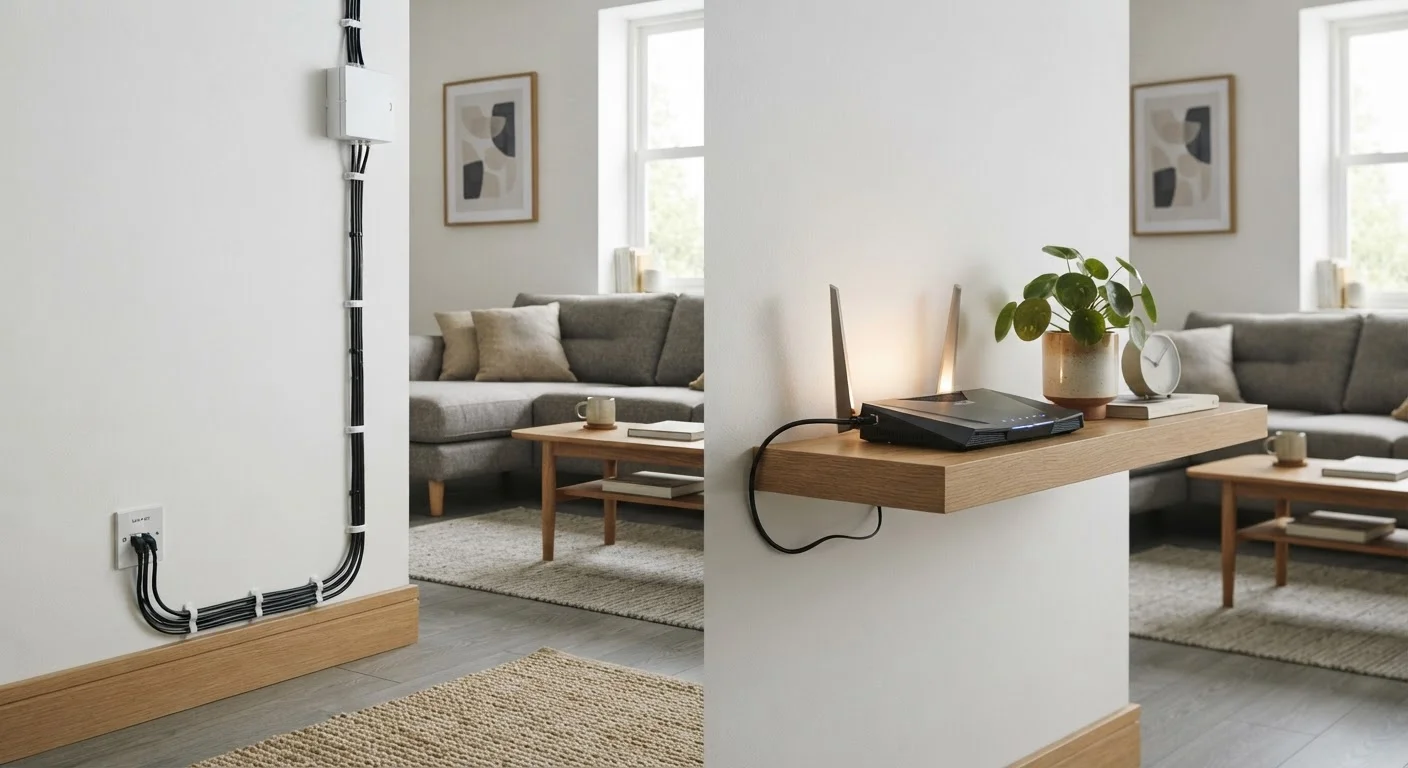
Photo credit: TurboBlogs.net | Explore Blogs At Turbo Speed
In this article
Some smart home setups use wired connections; others rely entirely on Wi-Fi or Bluetooth. Here's what each approach means for reliability and installation.
Key Takeaways
- Wired smart home devices offer superior reliability and speed but require more complex installation.
- Wireless devices are easier to install and move, but depend on a stable, well-placed network.
- Your home's construction, age, and layout significantly influence which approach works better.
- Many practical smart home setups combine wired and wireless devices for different use cases.
- Security considerations differ meaningfully between wired and wireless smart home connections.
Consistent, interference-free reliability
Physical cables don't share spectrum with neighboring networks or household appliances, so performance remains stable regardless of how many wireless devices are nearby.
Lower latency for time-sensitive commands
Wired connections respond faster than wireless ones, which matters for applications like security systems, lighting scenes triggered by motion, or whole-home audio synchronization.
Stronger baseline security posture
Data traveling through a cable is harder to intercept remotely, reducing the wireless attack surface without requiring additional configuration.
No dependency on router placement or signal strength
Wired devices work regardless of where your router sits or how thick your walls are — a significant advantage in large or structurally complex homes.
Complex, disruptive installation process
Running cables through finished walls often requires drilling, fishing wire, and potentially hiring an electrician or low-voltage technician, which adds cost and time.
Difficult to reconfigure after installation
Once a cable is run to a fixed location, moving the device means either pulling new wire or leaving unused cable in the wall — far less flexible than wireless alternatives.
Dependent on network quality and placement
Wireless devices perform only as well as the network they connect to; poor router placement or a congested Wi-Fi band will cause inconsistent behavior.
Broader wireless attack surface
Radio signals travel beyond your home's walls, and while modern encryption mitigates most risks, wireless devices do require attentive firmware management and strong password hygiene.
Device count strains router capacity
Each Wi-Fi smart device occupies a slot on your router's connection table; homes with many devices may experience slowdowns without a capable router or mesh system.
What the Wired vs. Wireless Distinction Actually Means
When smart home devices communicate, they need a pathway — either a physical cable or a radio signal. Wired devices use ethernet cables, dedicated low-voltage wiring, or proprietary bus systems to send data. Wireless devices rely on protocols like Wi-Fi, Zigbee, Z-Wave, or Bluetooth to communicate without a physical connection.
This distinction matters beyond simple convenience. It shapes installation complexity, ongoing reliability, security posture, and how easily you can reconfigure your setup over time. If you're still getting oriented, our overview of what a smart home actually is explains how these connections fit into the broader picture. For a deeper look at the wireless protocols themselves, how Matter, Zigbee, and Z-Wave shape your choices is worth reading alongside this article.
The Case for Wired Smart Home Devices
Wired connections remove a layer of variables. A device connected via ethernet or a dedicated cable doesn't compete for airtime on a crowded 2.4 GHz band, doesn't drop when a neighbor's Wi-Fi channel overlaps with yours, and doesn't introduce the latency spikes that wireless signals can experience during interference.
Consistent, interference-free reliability
Physical cables don't share spectrum with neighboring networks or household appliances, so performance remains stable regardless of how many wireless devices are nearby.
Lower latency for time-sensitive commands
Wired connections respond faster than wireless ones, which matters for applications like security systems, lighting scenes triggered by motion, or whole-home audio synchronization.
Stronger baseline security posture
Data traveling through a cable is harder to intercept remotely, reducing the wireless attack surface without requiring additional configuration.
No dependency on router placement or signal strength
Wired devices work regardless of where your router sits or how thick your walls are — a significant advantage in large or structurally complex homes.
Security systems, door locks, and whole-home audio controllers are common candidates for wired setups precisely because their failure modes matter more. A wireless lock that drops off the network is an inconvenience; a wired one simply works. Installation, however, is the significant trade-off. Running cable through finished walls typically requires drilling, fishing wire through insulation, and sometimes professional help — particularly in older homes. Planning ahead for smart devices in an older house covers the structural and wiring quirks that can complicate this work.
The Case for Wireless Smart Home Devices
Wireless devices dominate the consumer smart home market for straightforward reasons: they're easier to install, don't require running new cable, and can be repositioned without tools. A wireless smart plug, sensor, or thermostat can be set up in minutes, which lowers the barrier to entry considerably.
Complex, disruptive installation process
Running cables through finished walls often requires drilling, fishing wire, and potentially hiring an electrician or low-voltage technician, which adds cost and time.
Difficult to reconfigure after installation
Once a cable is run to a fixed location, moving the device means either pulling new wire or leaving unused cable in the wall — far less flexible than wireless alternatives.
Dependent on network quality and placement
Wireless devices perform only as well as the network they connect to; poor router placement or a congested Wi-Fi band will cause inconsistent behavior.
Broader wireless attack surface
Radio signals travel beyond your home's walls, and while modern encryption mitigates most risks, wireless devices do require attentive firmware management and strong password hygiene.
Device count strains router capacity
Each Wi-Fi smart device occupies a slot on your router's connection table; homes with many devices may experience slowdowns without a capable router or mesh system.
The dependency on network quality is the central limitation. Devices on the far edge of your router's range will behave inconsistently, and a crowded network — one with dozens of connected devices — can introduce latency or dropped commands. Setting up a home network that covers every room and understanding mesh vs. traditional routers are practical next steps if your wireless coverage isn't already solid. Router placement also plays a larger role than most people expect — why placement matters more than specs explains the physical factors at work.
~25+
Average connected devices per U.S. household
According to Deloitte's Digital Media Trends research, American households have been averaging over 25 connected devices, placing real demands on home Wi-Fi networks.
2.4 GHz vs. 5 GHz
Wi-Fi band choice affects smart device range
Most smart home sensors default to the 2.4 GHz band for longer range and wall penetration, but this band is also more congested in dense neighborhoods.
Security and Privacy Differences Worth Noting
Wired connections are inherently more difficult to intercept than wireless signals, since an attacker would need physical access to the cable. Wireless traffic, by contrast, travels through the air — and while modern encryption protocols (WPA3 for Wi-Fi, AES-128 for Zigbee) have significantly raised the bar, wireless devices do present a broader attack surface in principle.
Encryption Doesn't Eliminate All Risk
Modern wireless smart home protocols use strong encryption by default, but encryption only protects data in transit. Vulnerabilities in device firmware, manufacturer cloud servers, or your own router configuration can expose smart home systems regardless of the connection type. Keeping firmware updated and using a dedicated IoT network segment (a separate VLAN or guest network) are practical steps many security-conscious homeowners take.
Practically speaking, most home environments are not high-value targets for sophisticated wireless interception. The more common vulnerabilities involve weak router passwords, unpatched device firmware, and reused credentials — problems that affect both wired and wireless setups. For context on how network-level risks actually play out, our breakdown of real vs. overstated network risks offers a grounded perspective. When wireless devices do stop responding for other reasons, diagnosing why smart home devices stop working walks through the most common causes and fixes.

Author
Tech & Electronics Editorial Team
Tech & Electronics Editorial Team is the collective byline for our editorial team and contributor network. Articles published under this byline or an editorial pen name are researched, written, and reviewed according to our editorial standards for clarity, consistency, and independence before publication.
View all articles →